

Appearance

Email Subject Line
The subject line field lets users write the subject inside the editor, and stores it in the template JSON. Your sending infrastructure reads it back from the saved template rather than asking for it separately.
Configuration
To enable the subject line field, add the following option to your TOPOL_OPTIONS configuration:
ts
enableSubjectLine: true,Usage
Once enabled, a Subject line text field appears in the Settings panel on the right side of the editor, below the preheader text input.
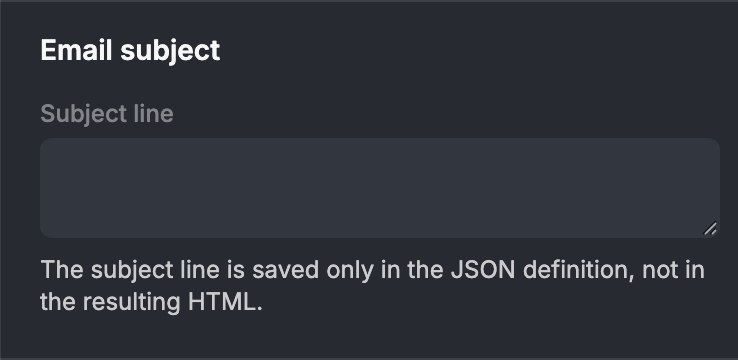
Users can type or edit the subject line at any point during template creation. The value is persisted automatically as part of the template JSON.
INFO
The subject line is metadata only. It is never rendered inside the email body and does not appear in the preview, which makes it purely something to read from the saved JSON and pass to your sending infrastructure.
Retrieving the subject line
When the template is saved via the onSave callback, the subject line is available in the json parameter:
ts
callbacks: {
  onSave(json, html, mutations, syncedSections) {
    const subject = json.attributes?.["mj-subject"]?.text;
    // → "Your email subject line"
  },
},
On a template with no languages, the value is stored at json.attributes["mj-subject"].text.
Multilingual subject lines
When the Multilingual Templates feature is also enabled, each language mutation carries its own subject line. Users switch to a mutation and edit the subject in that language, and the editor keeps a separate value per mutation.
Per-language subject lines are stored inside the langs array in the template JSON, under the translations object with the key "mj-subject":
ts
// json.langs
[
  {
    "key": "en",
    "primary": true,
    "translations": {
      "mj-subject": {
        "content": "Welcome to our newsletter!"
      }
      // ...other translated blocks
    }
  },
  {
    "key": "de",
    "primary": false,
    "translations": {
      "mj-subject": {
        "content": "Willkommen zu unserem Newsletter!"
      }
      // ...other translated blocks
    }
  }
]
To retrieve the subject line for a specific language:
ts
const lang = json.langs.find((l) => l.key === "de");
const localizedSubject = lang?.translations?.["mj-subject"]?.content;
// → "Willkommen zu unserem Newsletter!"
WARNING
Once a template has languages, read the subject from the langs array, including for the primary language. Note the different property name: the base attribute uses text, while each translation uses content.
The subject is included in AI translation, so TopolPlugin.translateLanguage() and translateAllLanguages() fill it in alongside the rest of the template content.