

Appearance

Dark Mode Email Preview
Dark mode is a display setting where email clients automatically transform email content to darker tones when the recipient's device or email client is configured to use a dark color scheme. Most major email clients (Gmail, Outlook, Apple Mail, Yahoo Mail, etc.) implement some form of dark mode rendering, each applying its own transformation rules.
What this feature does
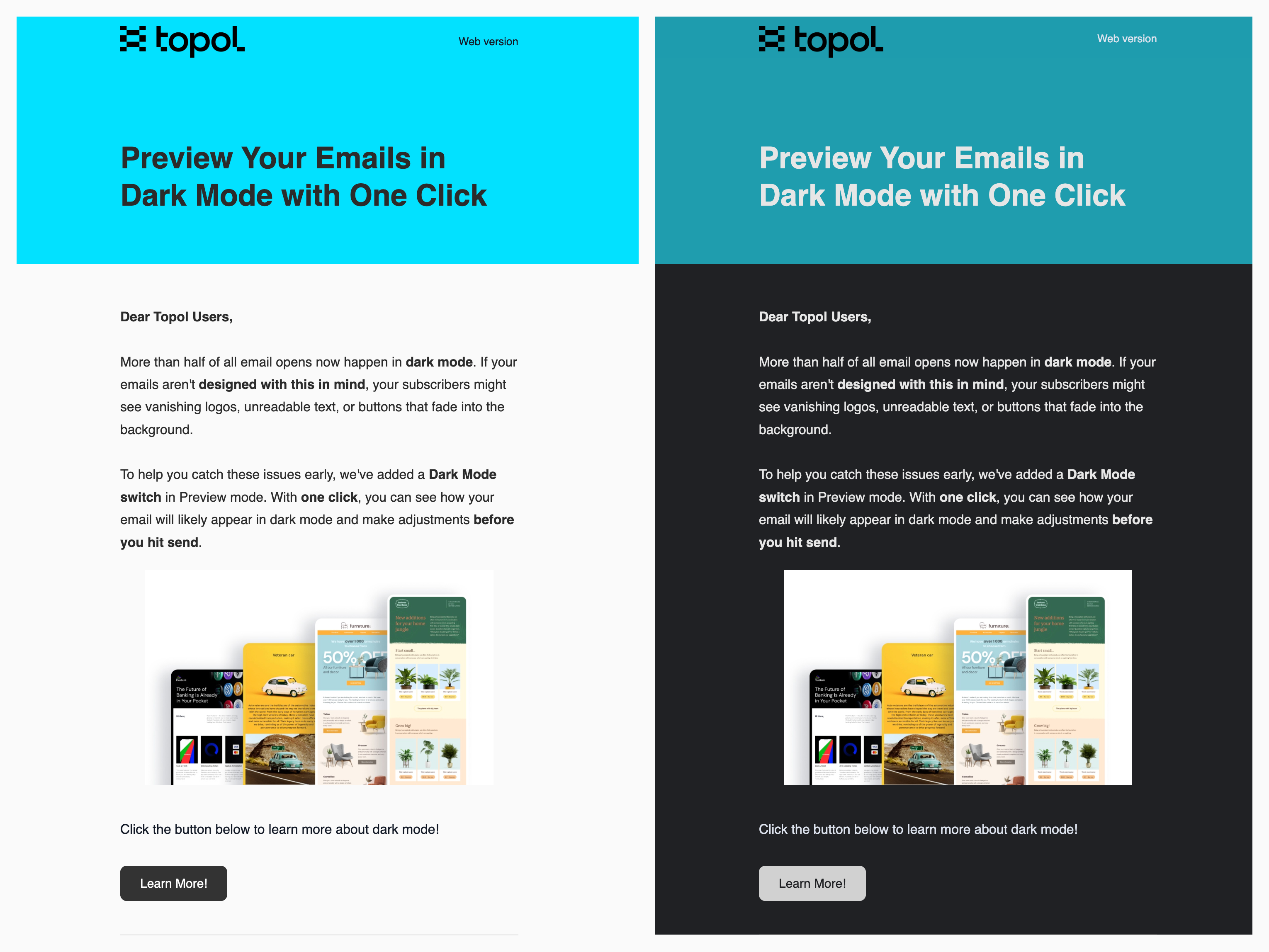
The preview approximates dark mode rendering inside the editor, which replaces sending test emails and opening them in several clients to check contrast.
INFO
The preview is a display mode and changes nothing in the template. The exported HTML is identical whether the toggle is on or off, since dark mode is applied by the recipient's email client rather than baked into the message.
Configuration
To enable dark mode preview, include the following option in your TOPOL_OPTIONS configuration:
ts
enableDarkMode: true,Usage
Once enabled, a dark mode toggle becomes available in the editor's Preview mode:
- Open your email template in the editor.
- Switch to Preview mode.
- Toggle the dark mode switch to see the dark mode version of your email.

What the preview transforms
The preview follows Gmail's approach, which changes background colors and text colors and nothing else. Near-black backgrounds become white, near-white backgrounds become a dark grey, and colors in between shift while text is recolored for contrast against its new background.
Images, gradients, and background images are left untouched, so a design that depends on a logo with a white background needs checking by eye. Colors written as named CSS values such as red also pass through unchanged, which makes hex or rgb() the safer way to specify colors that should transform.
Toggling from your host app
The dark mode toggle can also be triggered from outside the editor by calling window.TopolPlugin.toggleDarkMode(), which suits applications with their own theming control that the preview pane should follow.
js
window.TopolPlugin.toggleDarkMode();WARNING
The method flips the current state rather than setting it, and there is no way to read the state back, so an application mirroring its own theme has to track parity itself. Entering Preview mode always resets the preview to light, which means dark mode cannot be pre-set before the user opens the preview.
Important disclaimer
The dark mode preview is an approximation only. Each email client (Gmail, Outlook, Apple Mail, etc.) applies its own proprietary rules and algorithms for transforming emails into dark mode. Because of these differences, it is not possible to produce a single universal dark mode rendering that matches the behavior of every client. The actual appearance of your email may vary depending on the recipient's email client, device, and OS-level settings.