

Appearance

Loading and saving a template
Template data always lives on your system: Topol never stores it, so loading and saving both run through code you control.
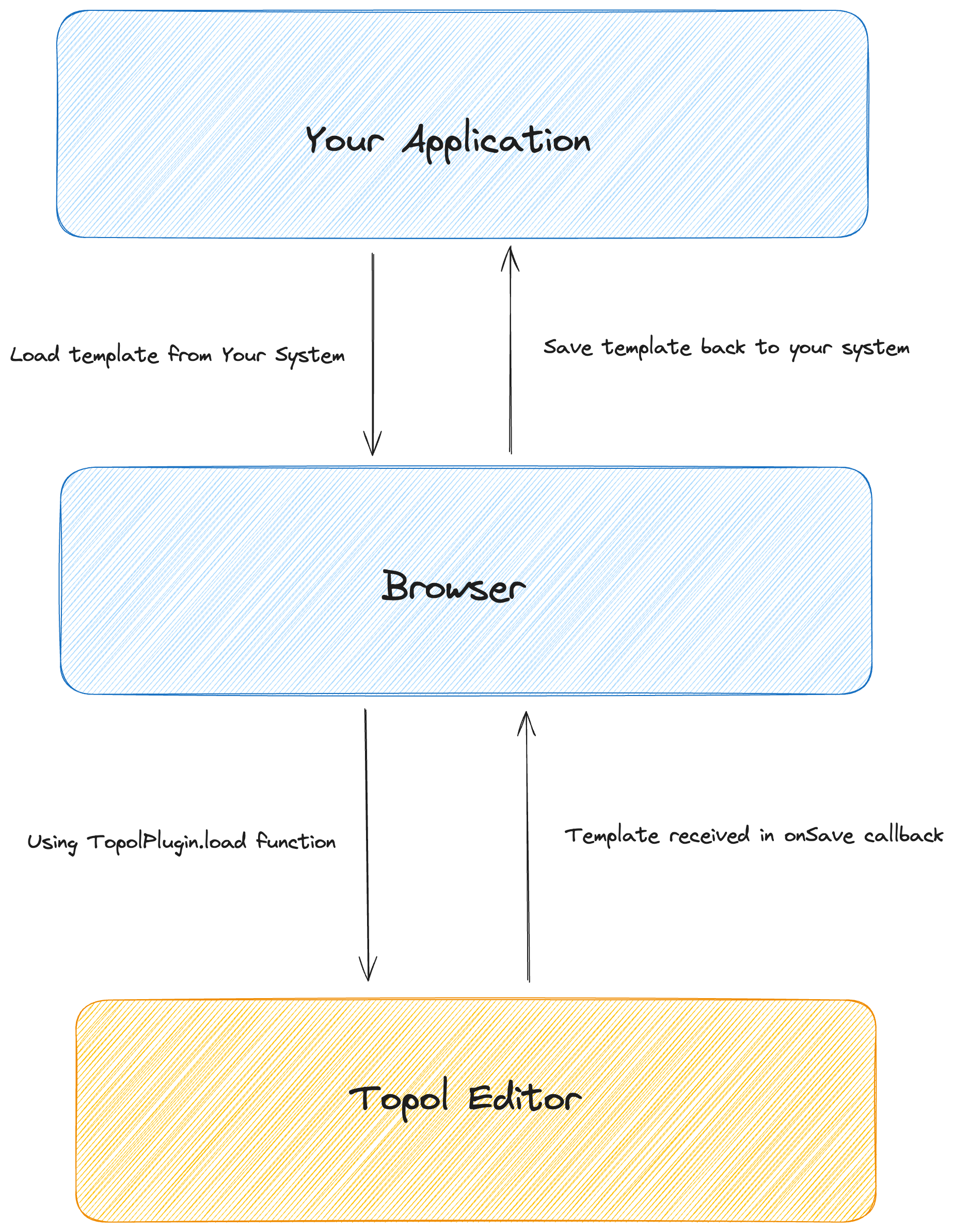
The diagram below shows how the data moves between your system and the editor.
Loading a template
TopolPlugin attaches to the window object and exposes a load method. It takes one argument, the template, and accepts either a JSON string or a parsed object.
ts
const template = "..."; // template obtained from your system

window.TopolPlugin.load(template);
Saving a template
The built-in top bar already has a save button, which is the simplest way to trigger a save. Pressing it runs the onSave callback, where the template is handed back for storing.
onSave receives four arguments: the template JSON, the rendered HTML, the language mutations (an array of { lang, primary }), and the synced-sections usage. The first two are what most integrations save.
ts
const TOPOL_OPTIONS = {
  id: "#app",
  authorize: {
    apiKey: "YOUR_API_KEY",
    userId: "UserID",
  },
  callbacks: {
    onSave: function (json, html, mutations, syncedSections) {
      // Store the json and html on your system
    },
  },
};