

Appearance

Loading and saving a template
You are reading the Email Editor v3 docs
Email Editor v4 is the current version. See this page in the v4 docs, or how to upgrade to v4.
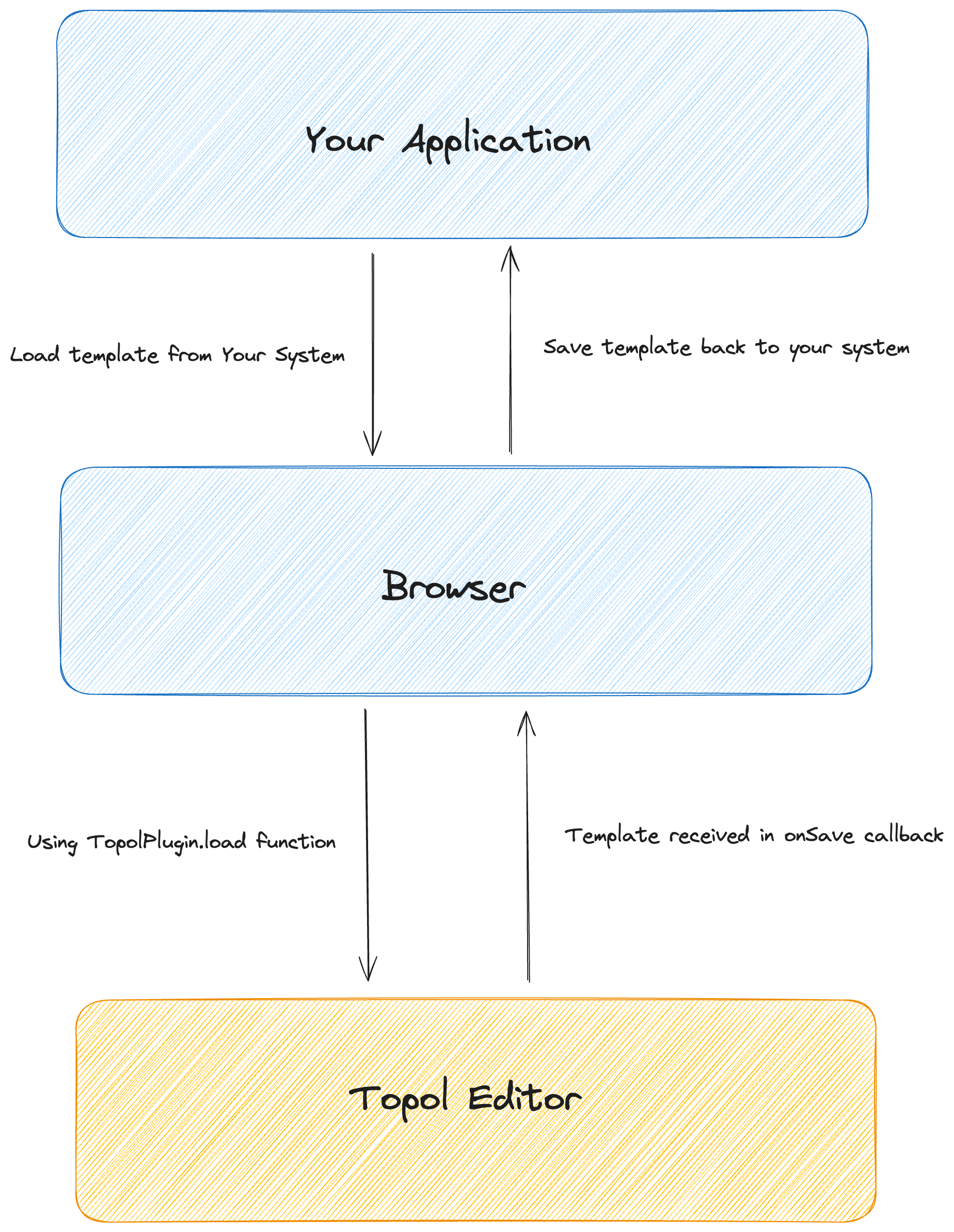
Template data always lives on your system: Topol never stores it, so loading and saving both run through code you control.
The diagram below shows how the data moves between your system and the editor.
Loading a template
TopolPlugin attaches to the window object and exposes a load method. It takes one argument, the template, and accepts either a JSON string or a parsed object.
ts
const template = "..."; // template obtained from your system

window.TopolPlugin.load(template);
Saving a template
The built-in top bar already has a save button, which is the simplest way to trigger a save. Pressing it runs the onSave callback, where the template is handed back for storing.
onSave receives four arguments: the template JSON, the rendered HTML, the language mutations (an array of { lang, primary }), and the synced-sections usage. The first two are what most integrations save.
ts
const TOPOL_OPTIONS = {
  id: "#app",
  authorize: {
    apiKey: "YOUR_API_KEY",
    userId: "UserID",
  },
  callbacks: {
    onSave: function (json, html, mutations, syncedSections) {
      // Store the json and html on your system
    },
  },
};